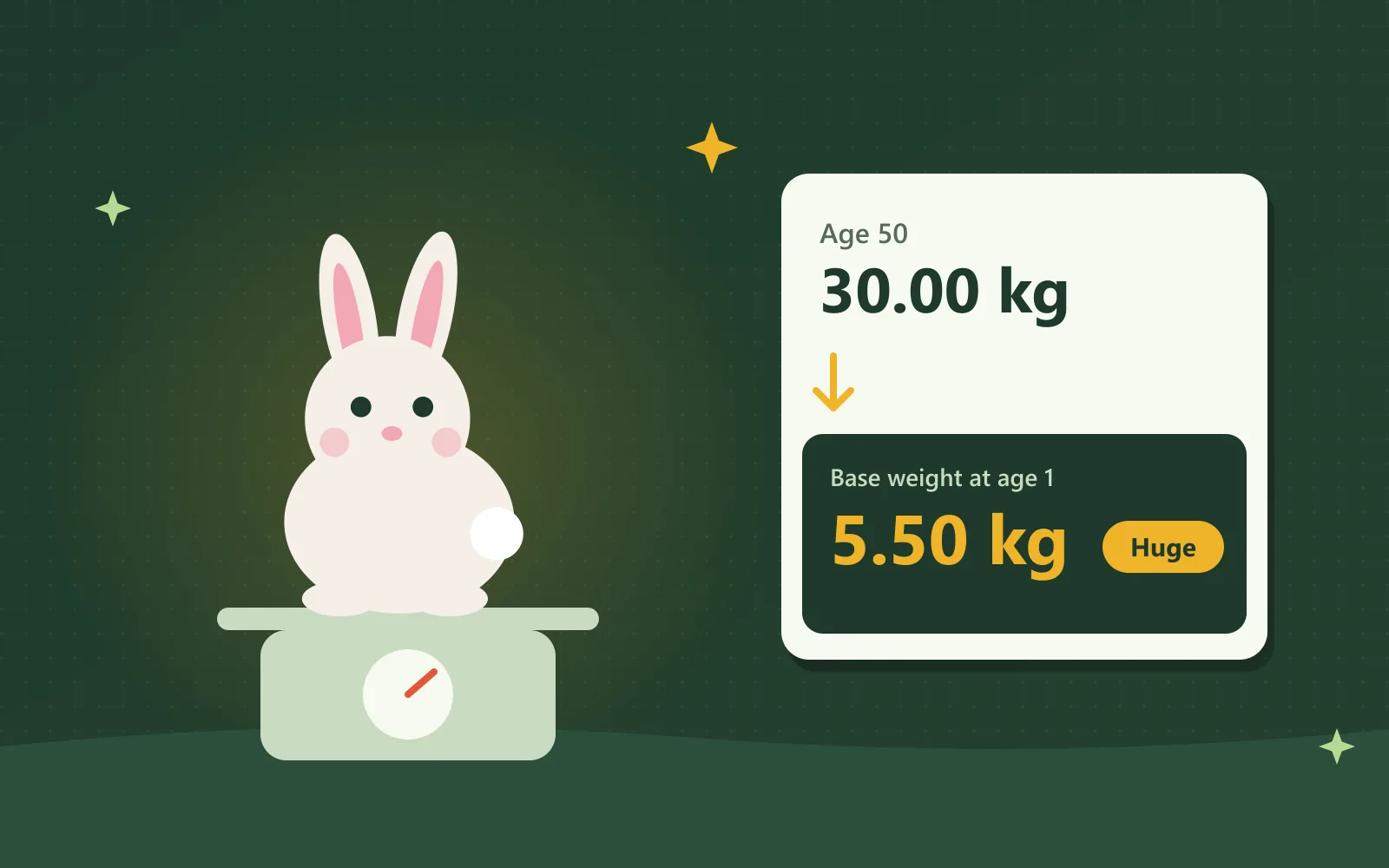
This Grow a Garden pet calculator converts your pet's current weight and age into its base weight. Base weight is the pet's weight at age 1, and it decides every future weight and size class. Enter the exact numbers the game shows, and the calculator immediately displays each result.
How do you use the Grow a Garden pet calculator?
The Grow a Garden pet calculator offers three separate modes, and every mode answers a different question about your pet. Choose whichever mode matches the information you currently have available.
My pet now converts the current weight and age into the base weight and size classification.
Weight at age predicts how heavy a pet will become at any age from 1 to 125.
Target weight calculates the earliest age at which a pet reaches your desired weight.
Follow these steps to evaluate a pet you already own:
- Open the pet in your inventory and write down its weight in kilograms and its current age.
- Select My pet now, then type both numbers exactly as the game displays them.
- Read the calculated base weight and its size category at the top of the results.
- Scroll down to the growth table to compare the pet's weight at every important age.
For example, a pet weighing 30 kg at age 50 has a base weight of 5.50 kg. The result panel itemizes every step of that calculation, so you can verify each number yourself.
The game rounds weight to two decimal places, so the calculator also displays the narrow range containing your exact base weight. The homepage explains why rounding creates these tiny variations.
Once you know the base weight, open the pet ability calculator to discover what your pet does at that size. You can also compare its approximate trading value on the approximate trading value.
How do you calculate pet weight in Grow a Garden?
To calculate pet weight in Grow a Garden, divide the base weight by 11, then multiply the answer by the pet's age plus 10. The identical formula applies to every pet species in the game.
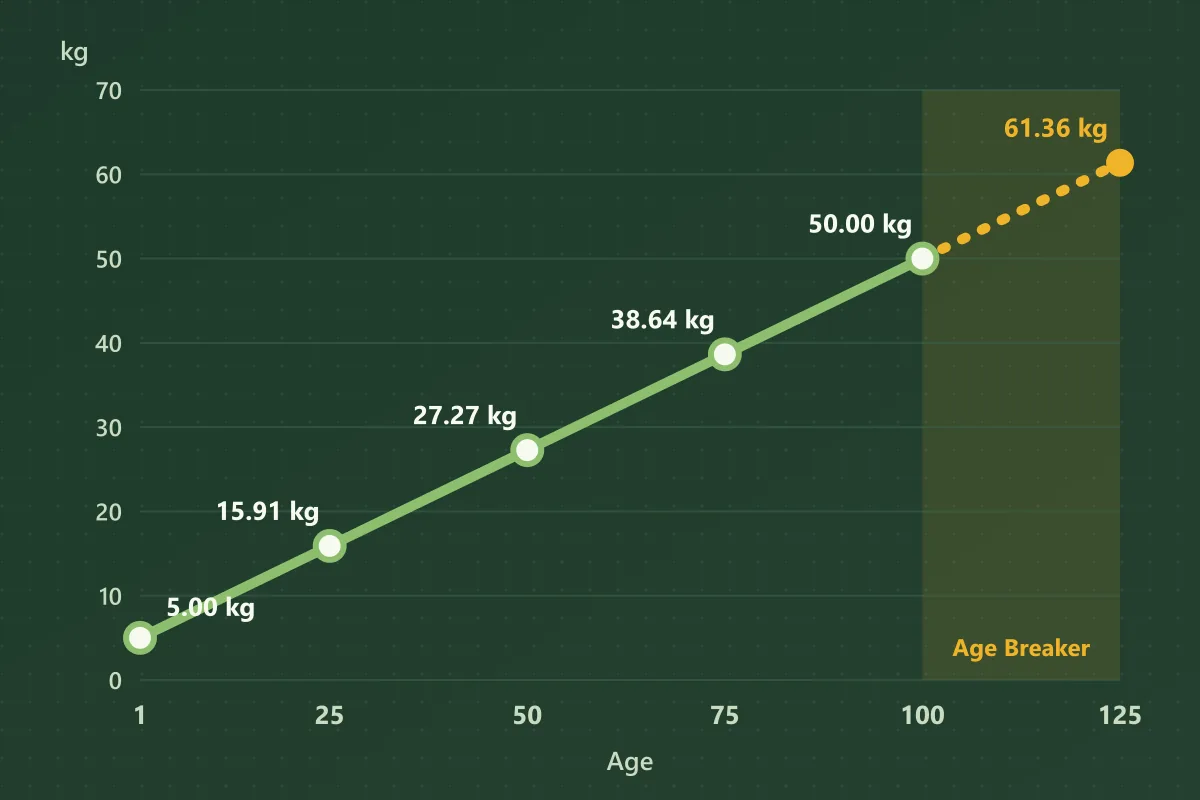
The base weight divided by 11 equals the kilograms a pet gains with every additional age. A heavier base weight therefore produces faster growth at every level.
For example, a pet with a 5 kg base weight gains approximately 0.45 kg per age. At age 50, it weighs 5 ÷ 11 × 60, which equals 27.27 kg.
| Age | Weight of a 5 kg base pet |
|---|---|
| 1 | 5.00 kg |
| 25 | 15.91 kg |
| 50 | 27.27 kg |
| 75 | 38.64 kg |
| 100 | 50.00 kg |
Every pet reaches exactly ten times its base weight at age 100. Consequently, the 5 kg pet in this example finishes at 50 kg.
Some guides incorrectly claim that pets begin at age 0 and lose weight as they get older.
Pets continue gaining weight throughout their entire lives, so a pet never remains at its original weight. In reality, age always starts at 1, and weight only increases from that point.
The calculator above applies this formula, so it doubles as a Grow a Garden kg calculator and GAG pet weight calculator for any age.
How do you find a pet's base weight?
To find a pet's base weight, multiply its current weight by 11, then divide by its age plus 10. This reverses the growth formula, so it calculates accurately for pets of every age.
- 1For example, a bunny weighs 18.61 kg at age 32.
- 2Its base weight is 18.61 × 11 ÷ 42.
- =The answer is 4.87 kg, which represents its weight at age 1.
What is hatch weight in Grow a Garden?
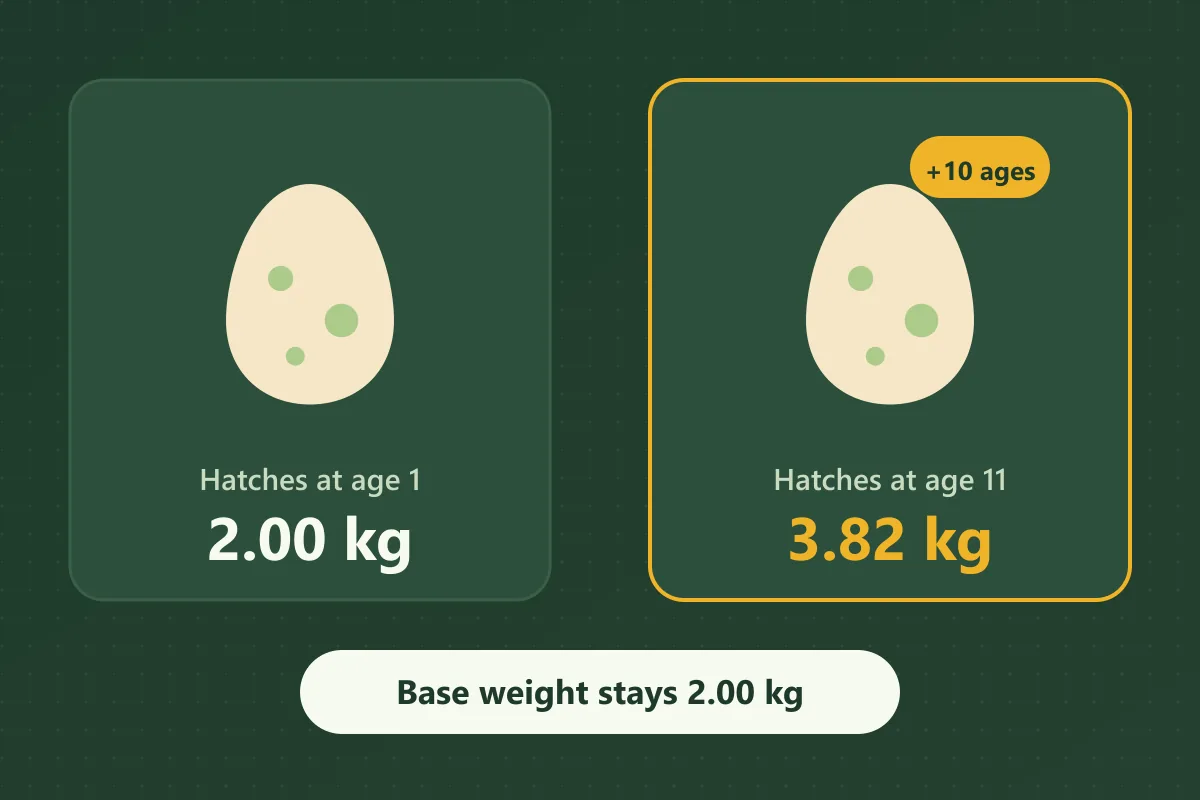
Hatch weight is a pet's recorded weight at the exact moment it emerges from the egg. For most pets, hatch weight and base weight are identical, because pets normally hatch at age 1.
- The Ostrich pet changes this, because each Ostrich gives newly hatched pets up to 10 additional ages. A pet that hatches at a higher age therefore weighs more than its base weight.
- The Brontosaurus pet works differently, because it increases the base weight of newly hatched pets. That boost is limited to 30 percent per egg, and the formula still applies normally afterwards.
Consider a pet with a 2 kg base weight that hatches at age 11, which immediately weighs 3.82 kg. Its base weight and size classification remain unchanged, so always compare pets by base weight.
Can you check base weight inside the game?
Yes, the Pet Mutation Machine, which gives a pet a random mutation, resets its age to 1 after every use. Afterwards, the weight the game displays is precisely equivalent to its base weight.
This method removes all of your pet's levels, so it only makes sense if you already intended to mutate the pet. In every other situation, the calculator delivers the same answer immediately.
What is the max pet age in Grow a Garden?
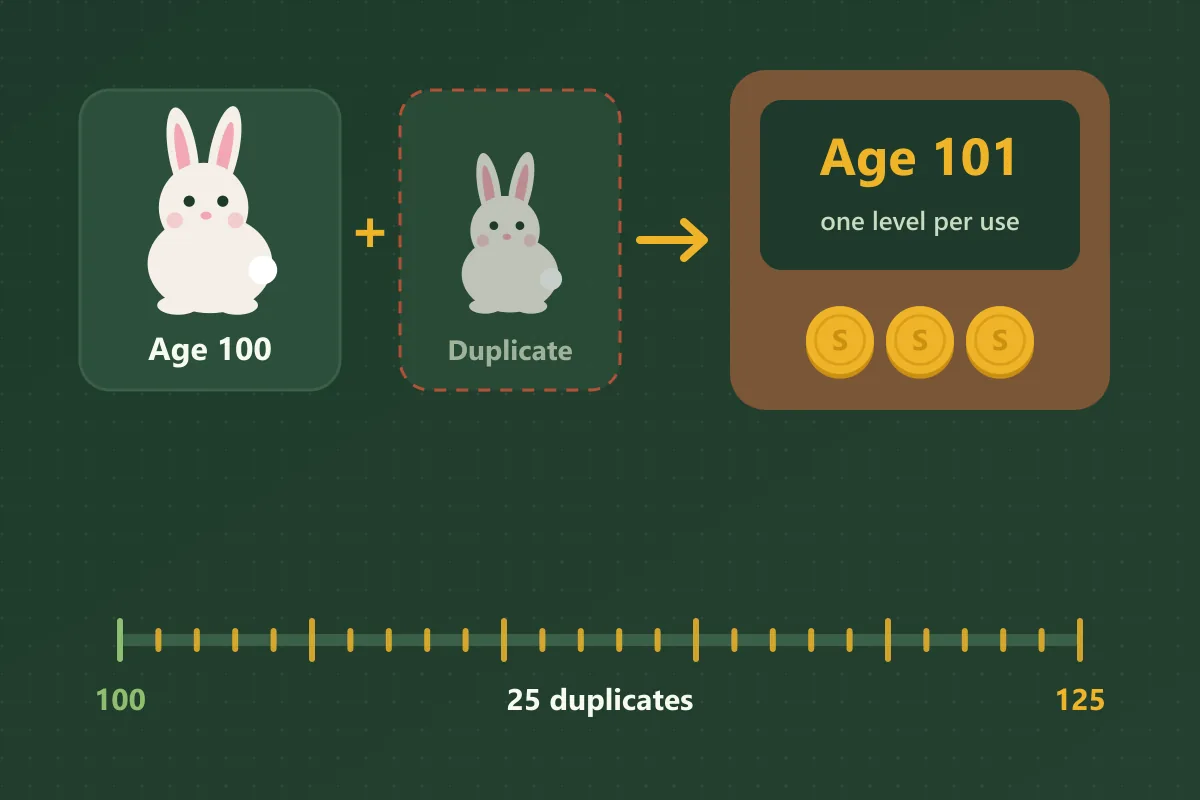
The max pet age in Grow a Garden is 100, and every pet can reach it through normal leveling. The Pet Age Breaker, a machine added during the Smithing Event in November 2025, extends that limit to 125.
Each Pet Age Breaker use increases a pet's age by exactly one level. You must submit a pet aged 100 or older, a second pet of the identical species, and additional sheckles.
The machine permanently destroys the second pet, so reaching age 125 requires 25 separate duplicates. Check that you have enough spare duplicates before breaking a pet's age limit.
These extra levels still follow the same growth formula, so weight continues rising after age 100. At age 125, a pet weighs approximately 12.27 times its base weight.
For example, the 5 kg pet from the earlier table reaches roughly 61.36 kg after all 25 additional levels. The calculator marks every age above 100 with a Breaker label.
What base weight makes a pet Huge or Titanic?
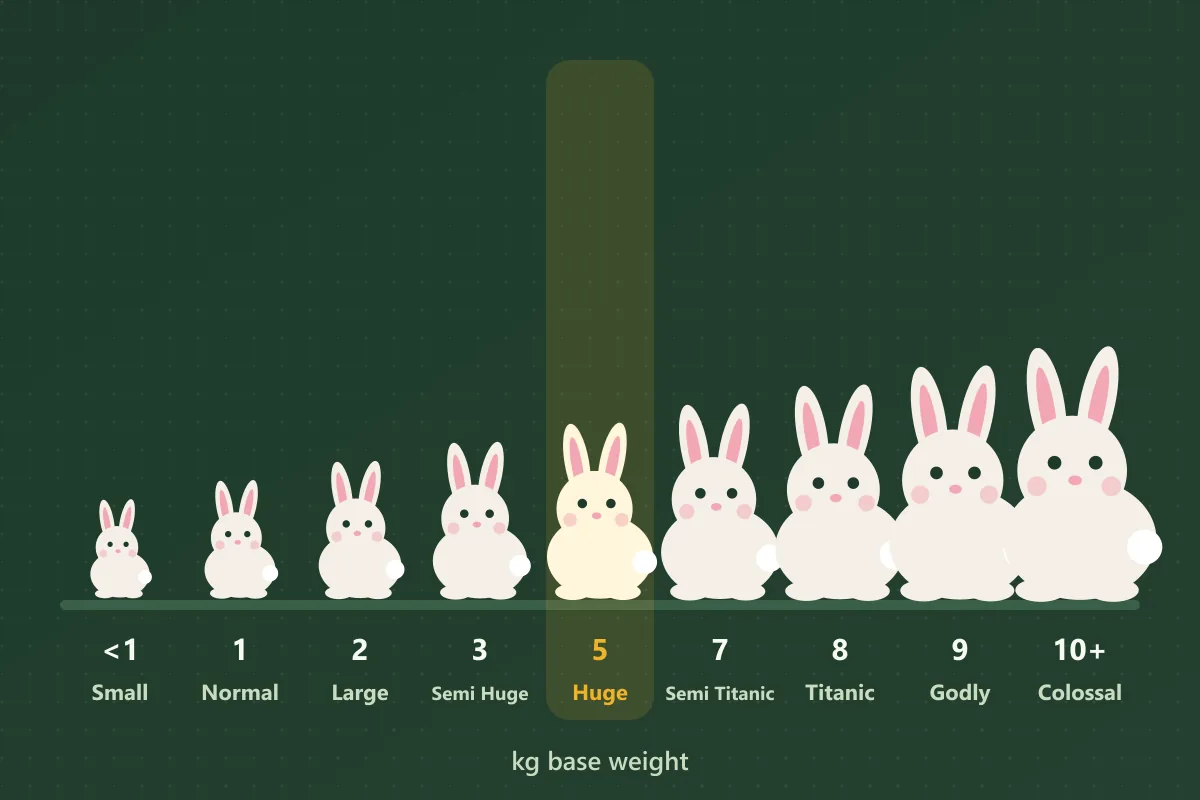
A pet counts as Huge when its base weight is roughly 5 to 7 kg. Titanic begins somewhere between 7 and 8 kg, depending on which guide you follow. These size names come from players, not the game itself.
Most guides agree on the Huge range, but the smaller and larger categories vary considerably between sources. The Grow a Garden pet size chart below displays the scale this calculator uses. Enter any pet above to use the tool as a Huge or Titanic pet calculator.
| Size name | Base weight |
|---|---|
| Small | Under 1 kg |
| Normal | 1 to under 2 kg |
| Large | 2 to under 3 kg |
| Semi Huge | 3 to under 5 kg |
| Huge | 5 to under 7 kg |
| Semi Titanic | 7 to under 8 kg |
| Titanic | 8 to under 9 kg |
| Godly | 9 to under 10 kg |
| Colossal | 10 kg and above |
22 kg at age 100
Not used for size classification
2.2 kg · Large
Counts as Large, not Huge
Size classification depends only on base weight, never on current weight. For example, a pet weighing 22 kg at age 100 has a 2.2 kg base weight, so it counts as Large, not Huge.
Because no official categories exist, any fixed sheckle bonus attached to a size name is simply guesswork. Quoting the exact base weight during trades prevents arguments, because a number never depends on anyone's definition.
Do Mega and Tiny mutations change pet weight?
No, Mega and Tiny mutations change how large a pet appears, along with its hunger and experience gain. The pet's recorded kilograms and size classification remain exactly the same.
For example, a Titanic pet with the Tiny mutation still counts as Titanic, even though it looks noticeably smaller. The calculator therefore ignores both mutations entirely.
Does pet size matter in Grow a Garden?
Yes, pet size matters in Grow a Garden, because pets with a higher base weight usually have stronger abilities. That additional weight often makes a pet's ability activate faster or hit harder.
Abilities. The exact improvement depends on each ability, and some pets gain very little from extra weight. The pet ability calculator shows what your pet does at its current weight.
Trading. Size also influences trading, since players typically pay more for a heavier version of the same pet. Check current prices on the pet values page before you accept any offer.
This pet weight calculator is a free tool made by fans of the game. It has no connection to Roblox or to the developers of Grow a Garden.